

If you’re moving your website to a new hosting provider or setting up custom DNS, updating your domain’s nameservers is a key step in the process. At NameSilo, this can be done quickly through your account dashboard. In this guide, we’ll walk you through how to change your nameservers, what to expect during DNS propagation, and a few tips to ensure everything goes smoothly.
What are my nameservers?
Before we begin, make sure you have your nameservers ready. You should be able to obtain these from your hosting provider. If you are a customer of AblePage, the nameservers you’ll want to use are:
ns1.ableshared.com
ns2.ableshared.com
Once entered in NameSilo, your domain will point to your AblePage hosting account. Keep in mind that DNS changes can take anywhere from 24 to 48 hours to fully propagate worldwide.
How to update your domains nameservers at NameSilo
Log into your NameSilo account by clicking here
From the header navigation menu, click on the 'My Account' link
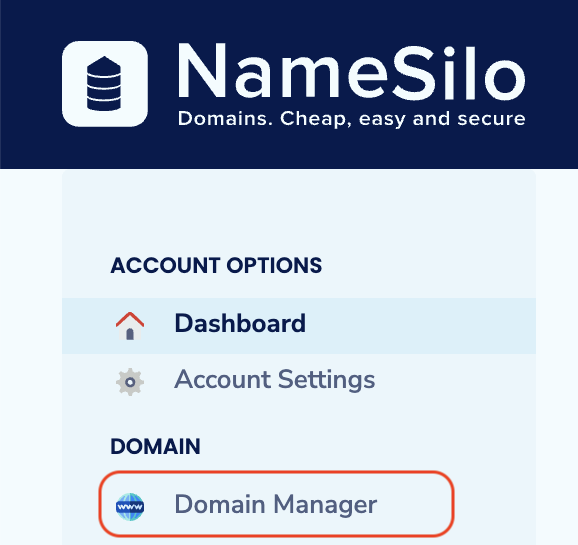
 From the left sidebar navigation menu, click on the 'Domain Manager' link
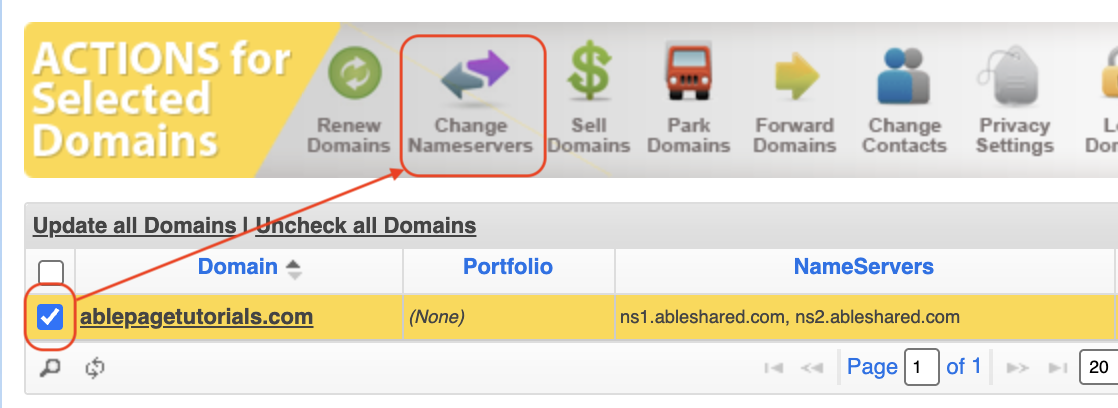
 From your domain list, select the checkbox next to the domain you want to update the nameservers for, followed by clicking the 'Change Nameservers' button from the tool bar.
 Replace the existing nameservers with the new nameservers provided by your hosting provider.
For an AblePage customer, you should be left with the nameservers: ns1.ableshared.com and ns2.ableshared.com
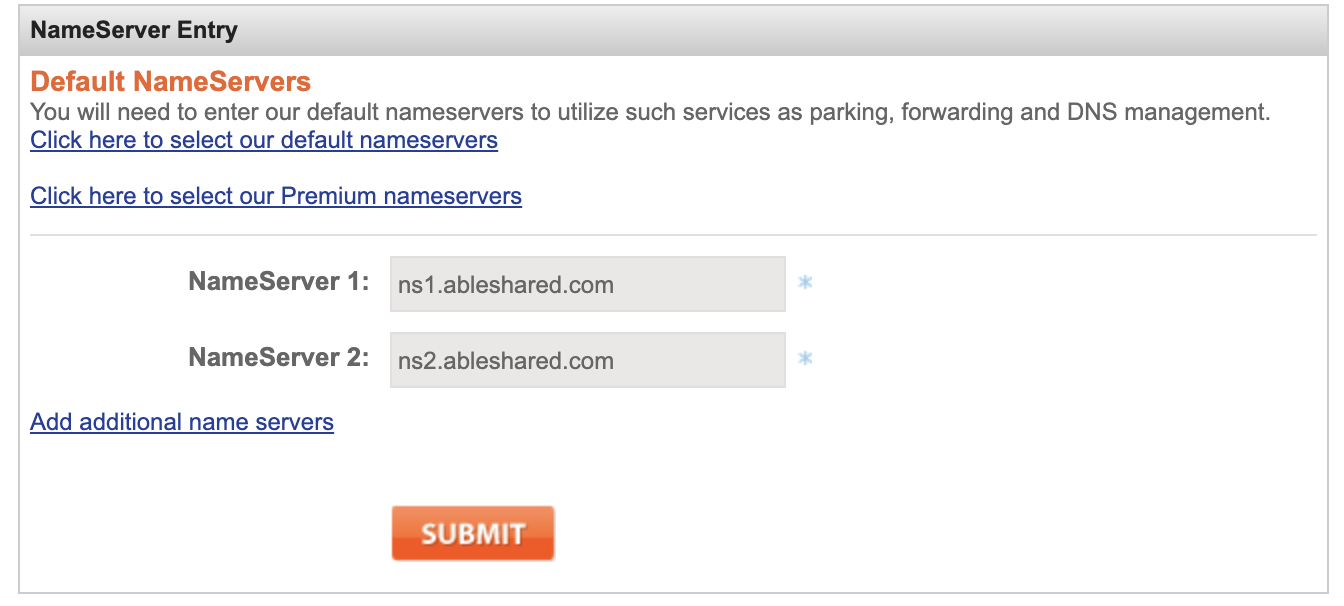 Once you have entered your desired nameservers, click on the orange 'Submit' button.
Success! Your nameservers at NameSilo have been updated. It may take up to 48 hours for the changes to propagate worldwide, after which your website will be live on the AblePage servers.
Found this article helpful?
Then you'll love our support. Join AblePage from $2.49/mo, with a free website migration and engineers on hand 24/7 whenever you need them.

Need help?
Our support team is here 24 hours a day. Tell us what you're trying to do and we'll check your account for you.
Contact support